How to list your finance company on GoFunding.Shop
Follow these four steps to create your advertiser account, complete your company profile, choose a plan, and publish your finance products. Most companies are ready to submit for review in about fifteen minutes.
Create your advertiser account
Register for a free company account, then sign in to reach your advertiser dashboard.
- Go to the registration page and sign up as a finance company. Use a work email you check regularly — lead notifications are sent there.
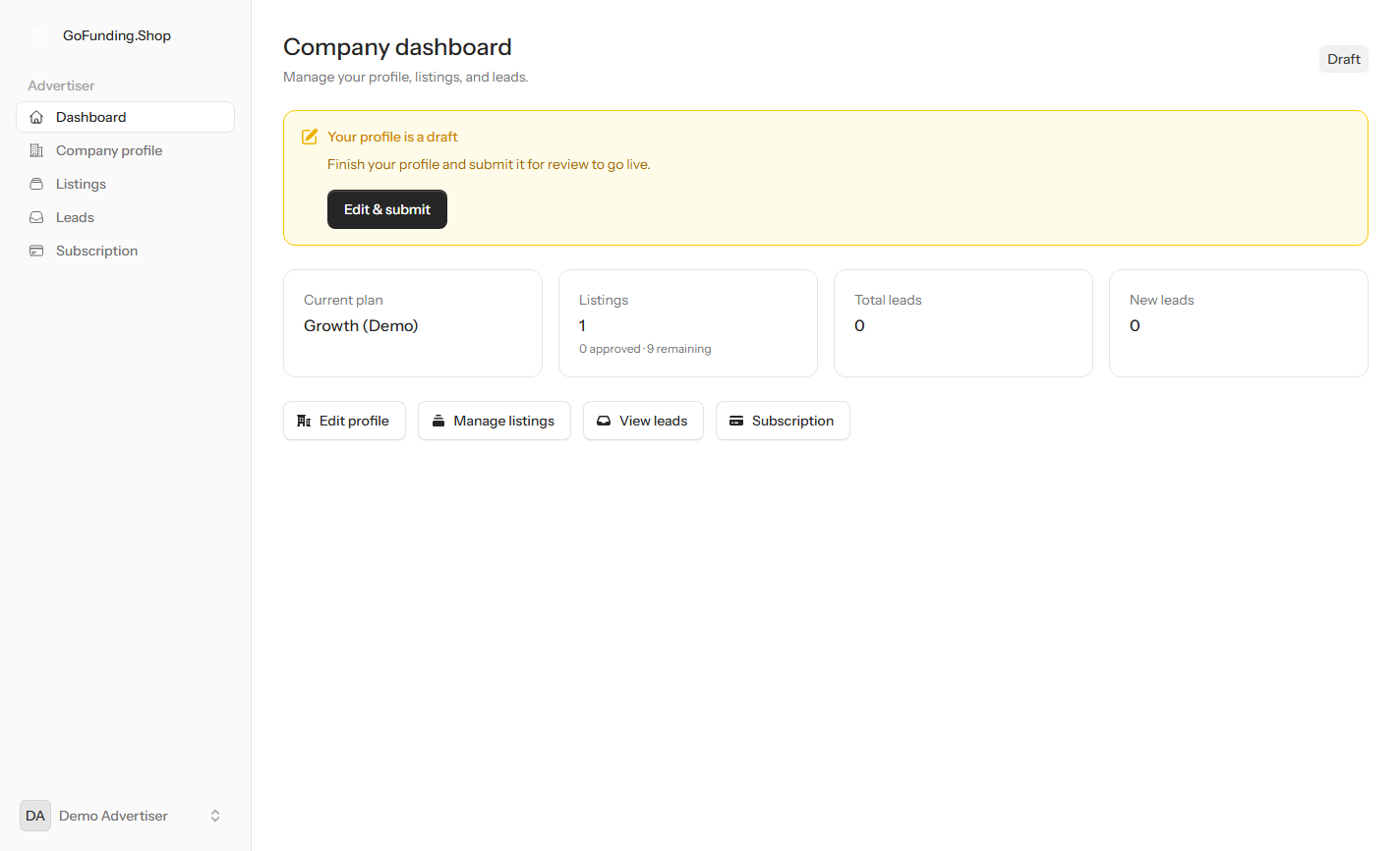
- Once signed in you land on your dashboard. It tracks your active plan, how many listings you have published, and the inquiries your offers have received.
- A status banner reminds you of anything still outstanding, such as completing your profile or submitting it for review.
Complete your company profile
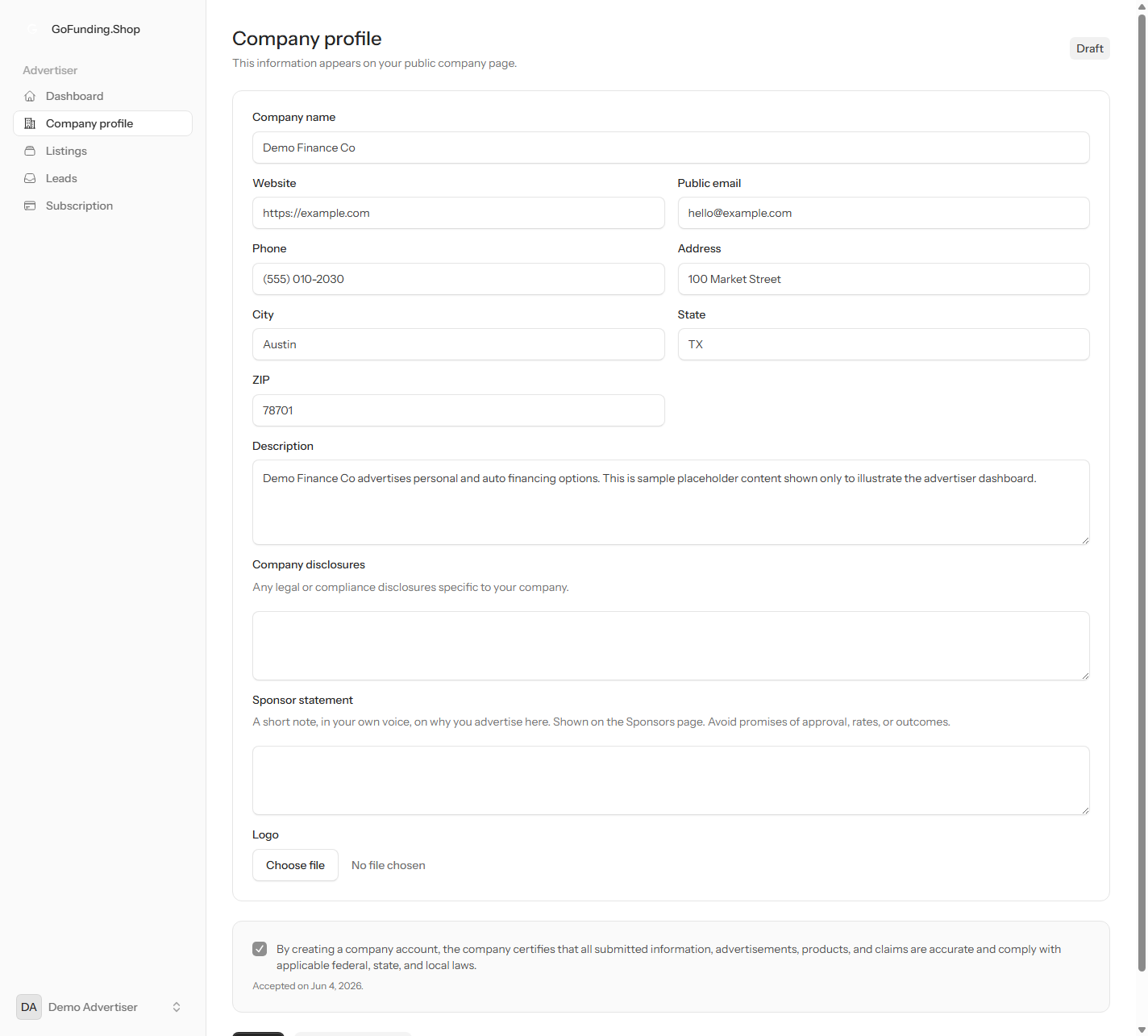
Add your company name, contact details, description, and logo so consumers can recognise and reach you.
- Open Company profile from the sidebar and fill in your company name, website, phone, email, and address.
- Write a clear description of who you are and the financing you advertise. Describe your products factually — do not promise approval, rates, or outcomes, since those are set by your company and confirmed with each applicant.
- Upload your logo, accept the partner terms, then save. When the profile is ready, submit it for review — our team approves listings before they appear publicly.
Choose an advertising plan
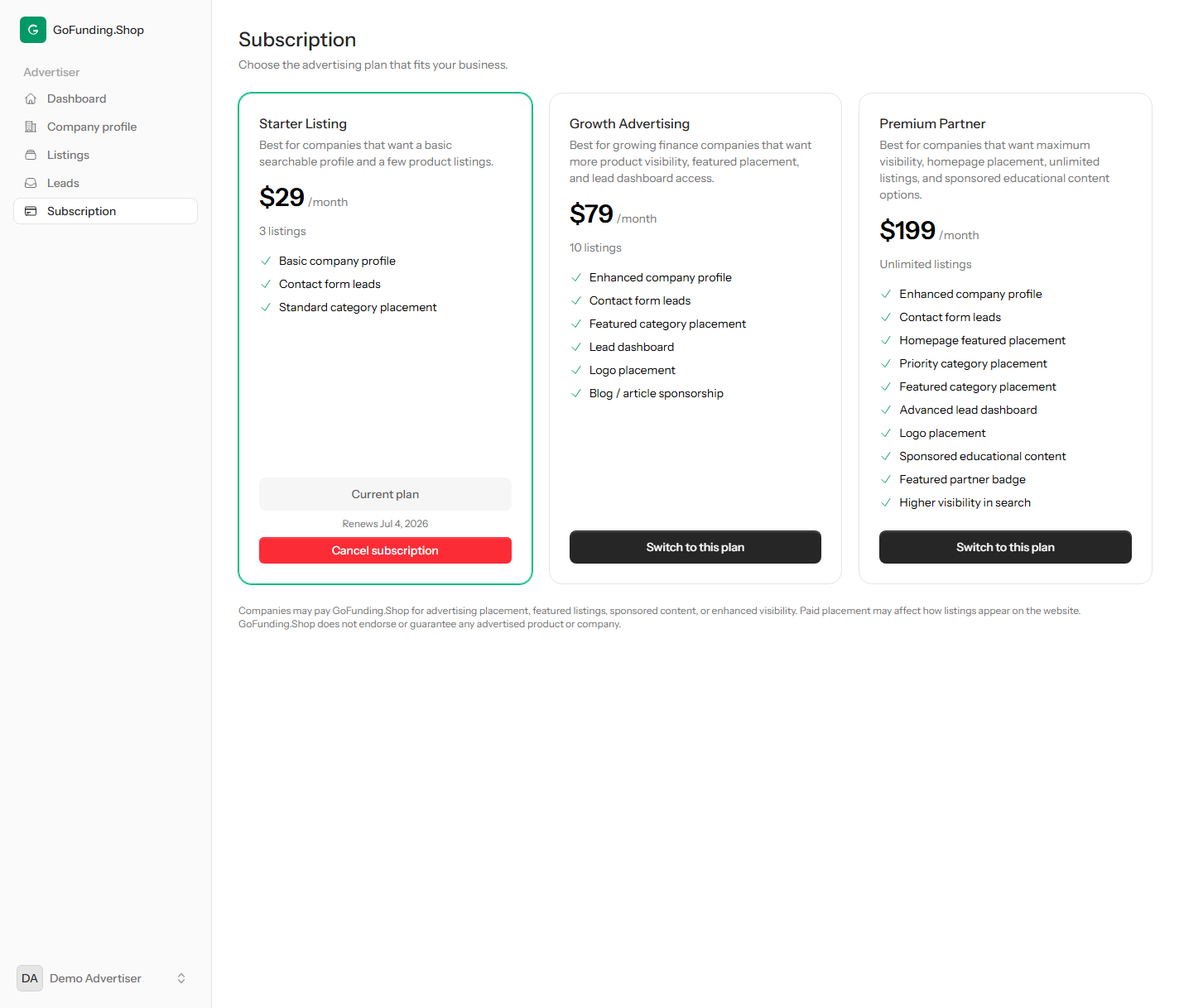
Pick the subscription that fits how many products you want to advertise and the placement you need.
- Open Subscription from the sidebar to compare the available plans. Each plan sets how many listings you can publish and which placement and lead features you unlock.
- Select a plan to activate it. An active subscription is required before you can publish a finance product.
- You can upgrade later as you add more products or want featured placement — your existing listings stay live.
Add your finance product listing
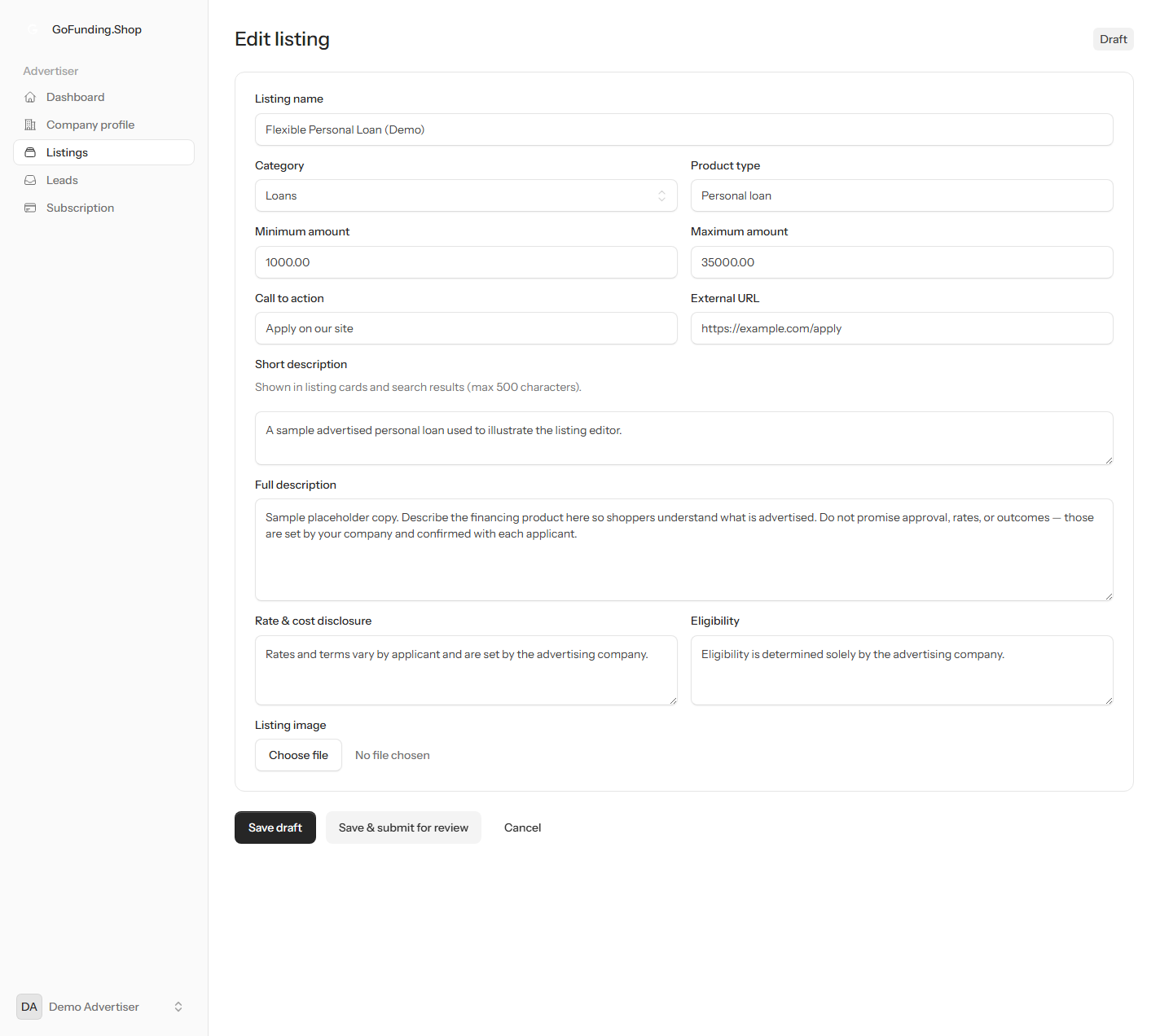
Create a listing for each product you advertise, with its description, amounts, and a link to apply on your own site.
- Open Listings and create a new product. Choose its finance category, give it a name and product type, and write short and full descriptions.
- Add the amount range, your rate and eligibility disclosures, a call to action, and the link where consumers apply on your own website.
- Save the listing, then submit it for review. Once approved it appears in the marketplace and consumers can find and contact you.
Ready to advertise your finance products?
Create your account and you can complete your profile and publish your first listing today. Every listing is reviewed by our team before it appears publicly.
Disclaimer: Companies may pay GoFunding.Shop for advertising placement, featured listings, sponsored content, or enhanced visibility. Paid placement may affect how listings appear on the website. GoFunding.Shop does not endorse or guarantee any advertised product or company.